
To verify the connections inside of a Hydro bed, please follow the steps below:
1. Remove the Top Access Panel
There should be two (2) Phillips screws on the top access panel which need to be removed. The image below circles the location of the two screws you wilemove.

2. Locate the WiFi Tag
The steps for identifying the WiFi tag will depend on which tag model you’re using. If it is a CT-1100, the screenshots below will match.
CT-1100: Look for a small, white rectangle with the label “AirPointe” engraved in the plastic.
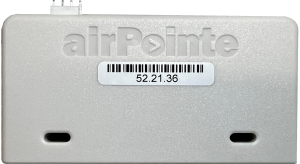
CT-1300:

3. Verify Tag Connections
The tag should have two cables connected to it. One is the power cable, and the other is the data cable which connects to the amenity. Please ensure that both of these cables are securely connected to the WiFi tag.