
My Radianse system is offline. What do I do?
If your Radianse system is not operating correctly, you have a few different options. If you're comfortable troubleshooting on your own, please feel free to browse our Knowledge Base.
If you'd prefer for a technician to assist you, please give us a call at (603) 994-2222
If you'd prefer for a technician to assist you, please give us a call at (603) 994-2222
I am new to Radianse - Where do I begin?
No worries! We have a user manual which is available here. If you ever have any questions regarding your Radianse system, please give us a call and we would be more than happy to help.
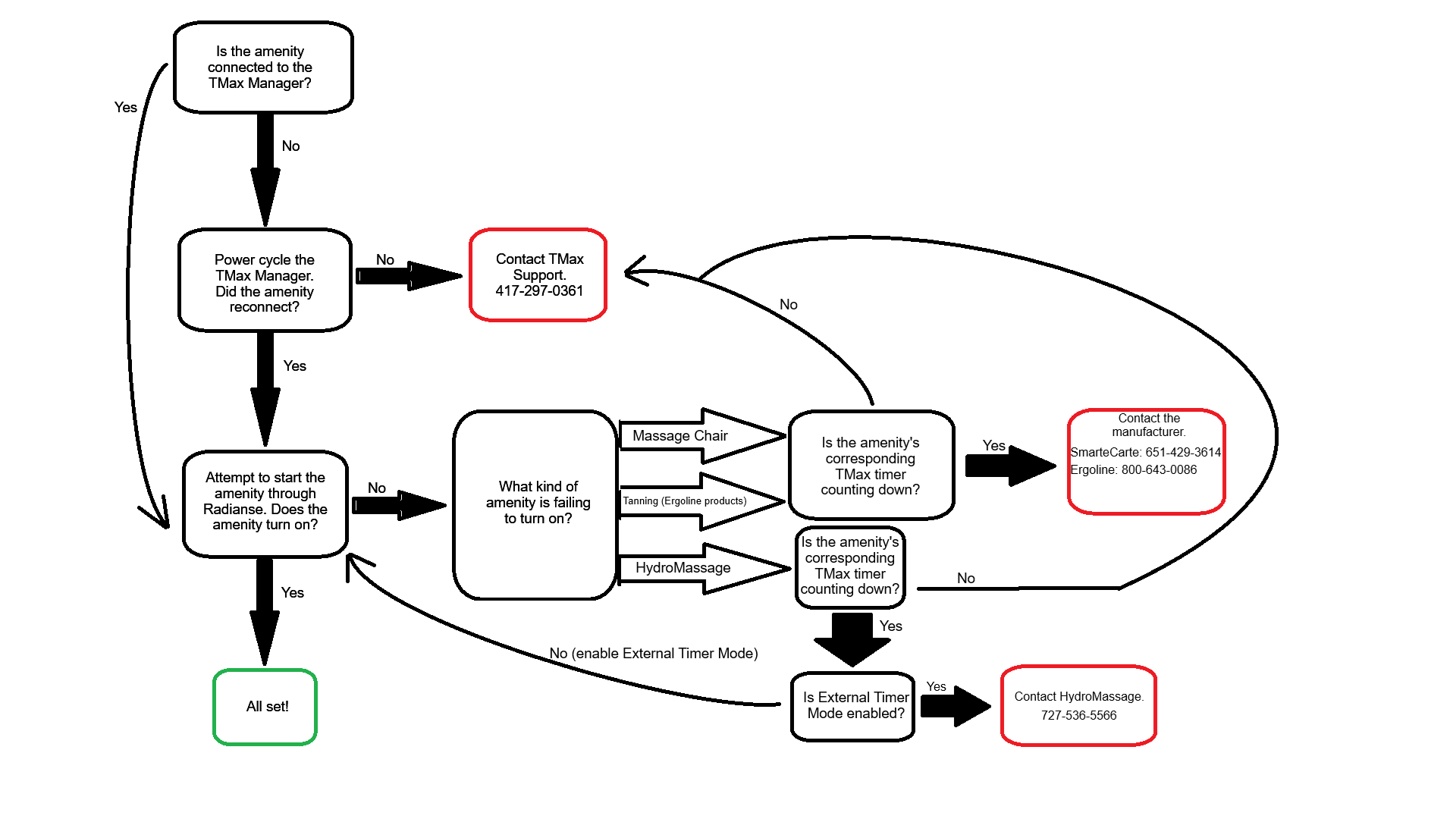
Is this a T-Max issue or a Radianse issue?
Not sure who to contact? Use the flowchart below to help identify where the issue lies. When in doubt, give us a call — we're happy to point you in the right direction.
What settings can Radianse adjust for me?
Quite a lot! We can customize most amenity settings to fit your needs. Give us a call and we can adjust any of the following:
- Maximum, minimum, and default run times
- Maximum, minimum, and default delay times
- Scheduling blocks and schedule types
- Age limits and grace periods
- Amenity and schedule names
What automated report options are available?
We offer a variety of automated email reports to help you stay on top of your facility. Available report types include:
- Equipment Usage
- Member Usage
- Maintenance Summary & Details
- Schedule History Summary & Details
- Red Screen Summary & Details
- Loss Prevention Details